Marking Items as Missing in Alma
updated: 2/27/2026
Getting Started in Resource Management
Items can only be marked missing if their status is "Item in Place." If an item is on loan or in a process type it cannot be marked as missing.
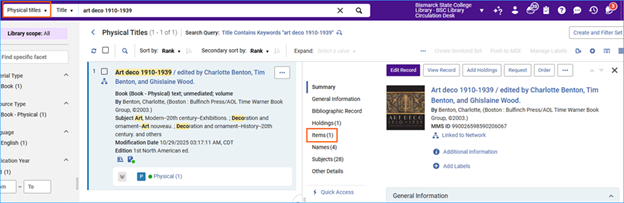
From a Physical Titles search
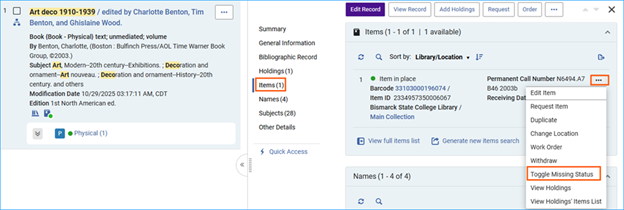
Do a physical titles search, then click on the Items quick access link.
Click on the action menu next to the item and select Toggle Missing Status.
From a Physical Items search
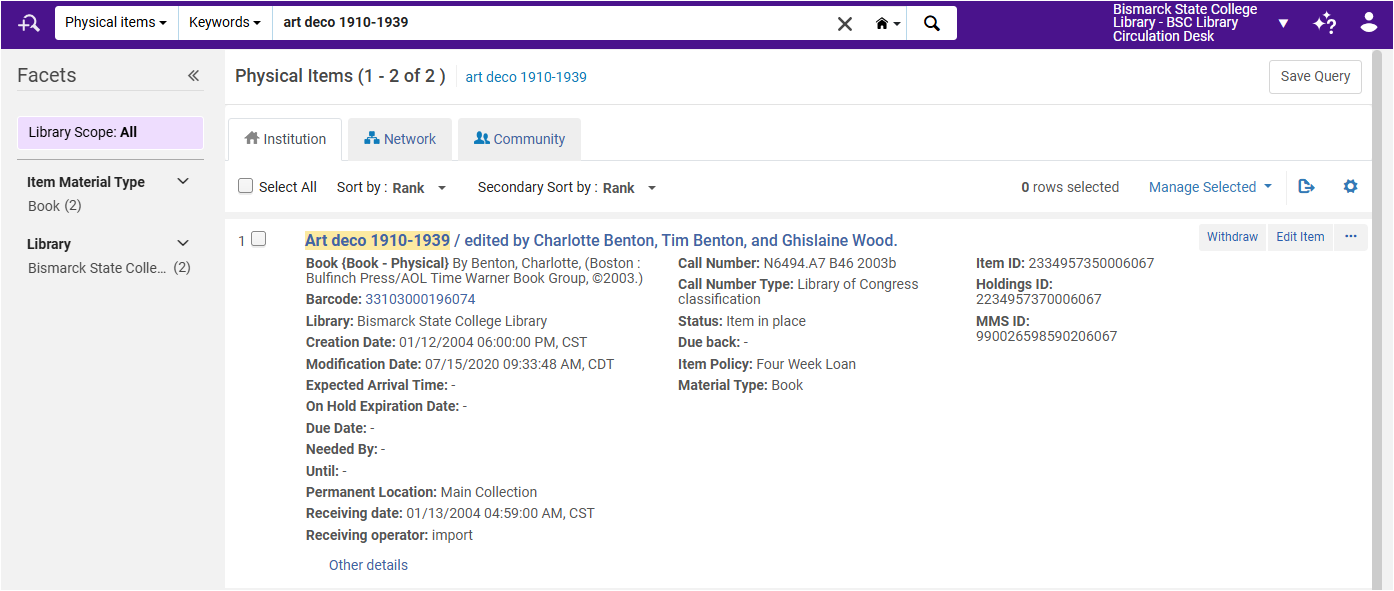
Another way to do this is to start from a Physical items search.
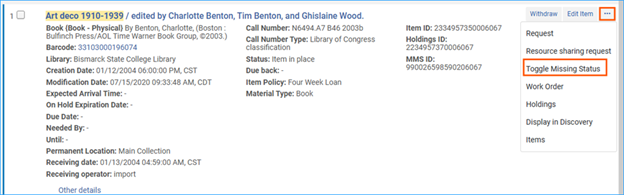
Click the action menu next to the item and select Toggle Missing Status.
If the material is later found, use the same workflow to remove the Missing process type and return the status back to Item in Place.
Related Trainings:
Copy Cataloging Using Search Resources in the Metadata Editor
Add a Local Extension Field to a Bibliographic Record
Placement Options in the Metadata Editor
Deleting Inventory Records in Alma
How to Add a Portfolio to a Bibliographic Record
How to Create Brief Bibliographic Records in the Metadata Editor